











1 min read
Sandfly 5.1 - Introducing SSH Security Zones
Publication Date: 16 July 2024 Sandfly 5.1 introduces SSH Security Zones to our powerful agentless security platform for Linux.
5 min read
Important Update: The 5.8 release of Sandfly deprecates support for scanning hosts running Linux kernels older than version 3.2. This includes older distributions such as CentOS 6 and RHEL 6, along with any legacy systems running on kernels older than 3.2. See more details here.
---
Sandfly 5.8 has been released with a major new feature customers have asked for: Agentless Response.
Sandfly's agentless response allows incident responders to perform the following actions on any host we monitor:
The response features work across all Linux distributions, CPU architectures, and system ages we support. This means we cover cloud systems, on-prem, modern, legacy, embedded, and architectures like Intel, AMD, ARM, MIPS, IBM POWER and IBM S390.
The new response feature allows for fast agentless investigation of everything from servers to embedded devices without needing to deploy any endpoint agents. It is a major convenience and speed advantage for defenders investigating incidents.
We have three pillars of operation that make the response feature valuable to security and operations teams:
Sandfly's agentless response allows security teams investigating a Linux host to do one of multiple actions:
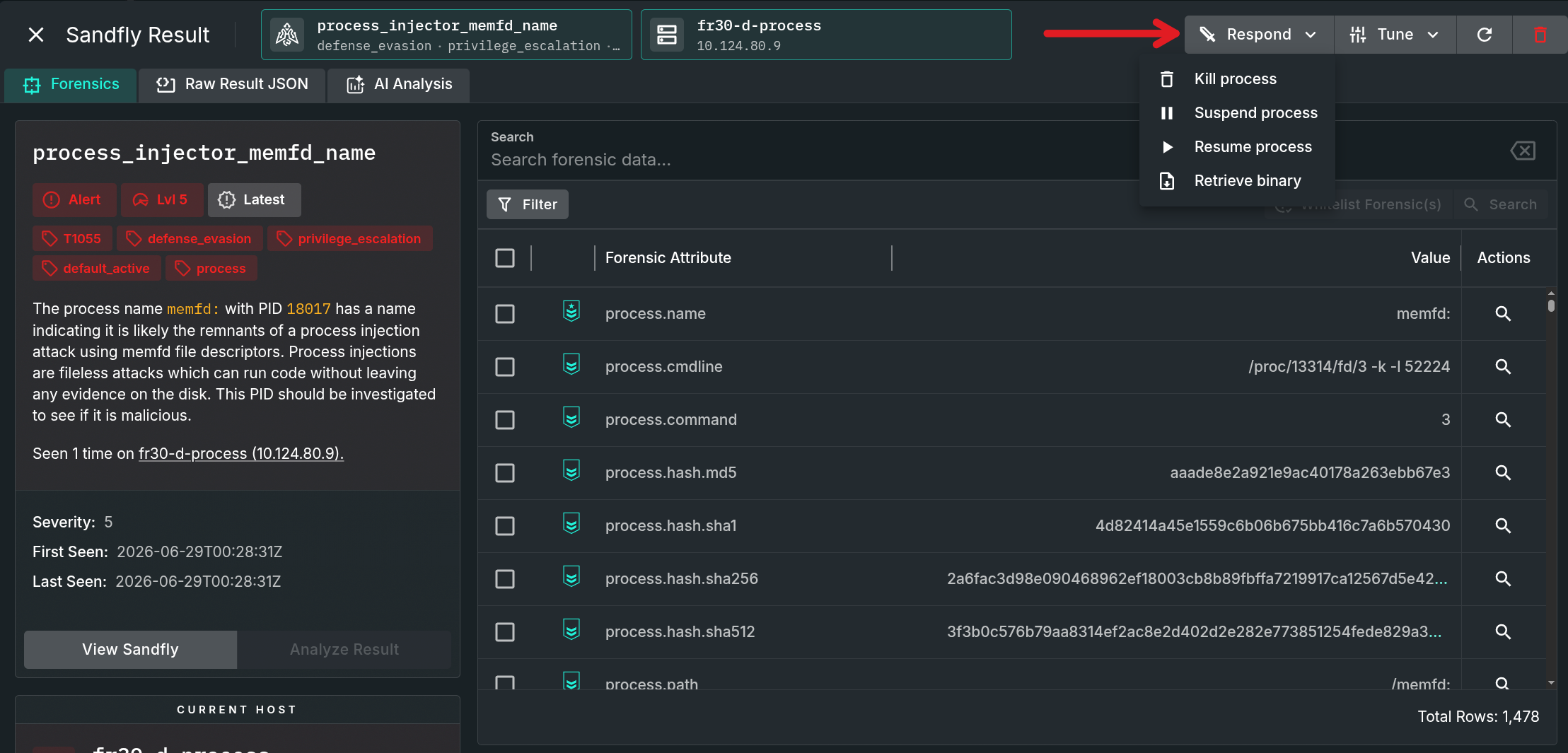
The new respond button will appear for any alert where a response action is available. Below we see an example of an alert from a suspicious process running from a memfd socket on Linux.
For the process response, we can kill, suspend, resume, or retrieve the process binary.
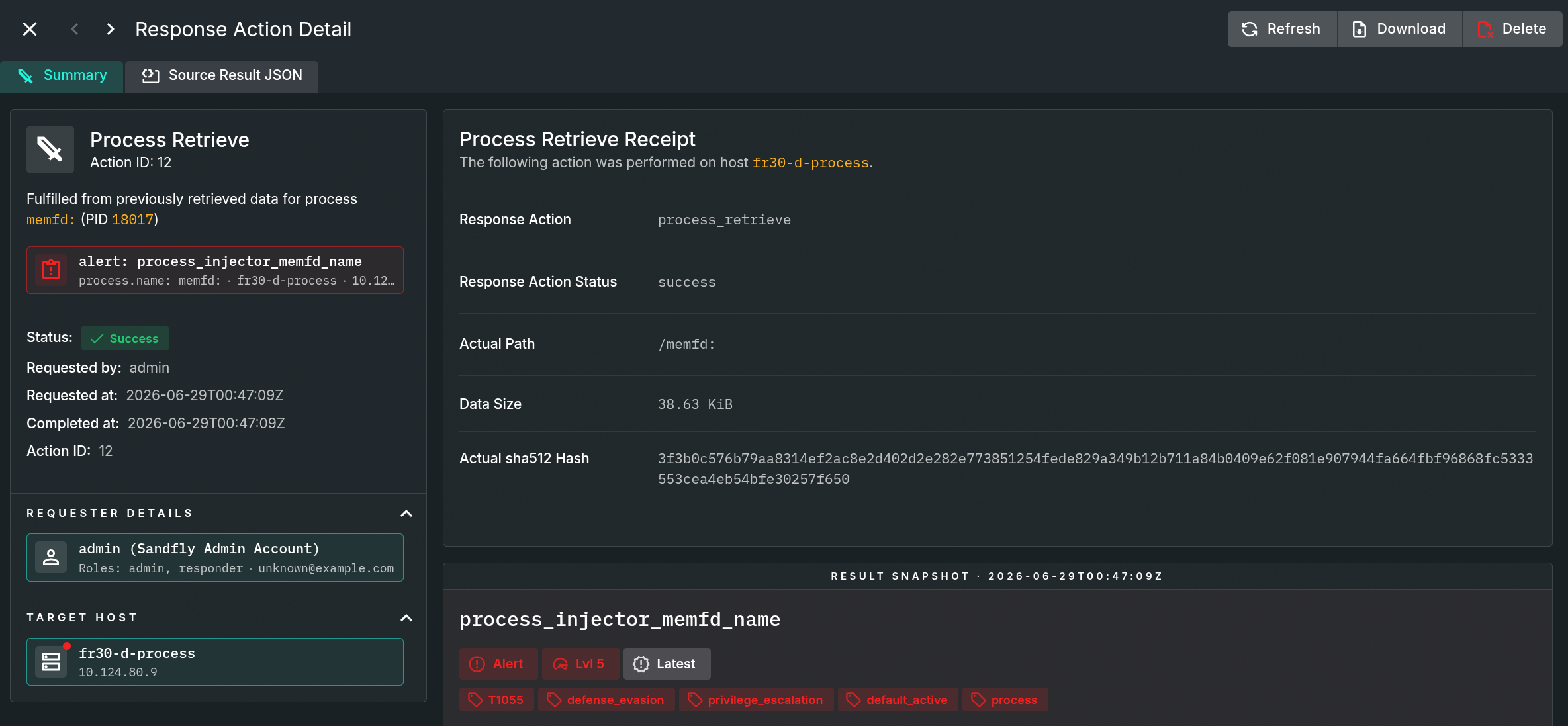
Security teams can directly download a running process binary for further analysis or sandbox detonation. Teams can also download suspicious files associated with an alert (e.g., a suspicious file under a binary directory).
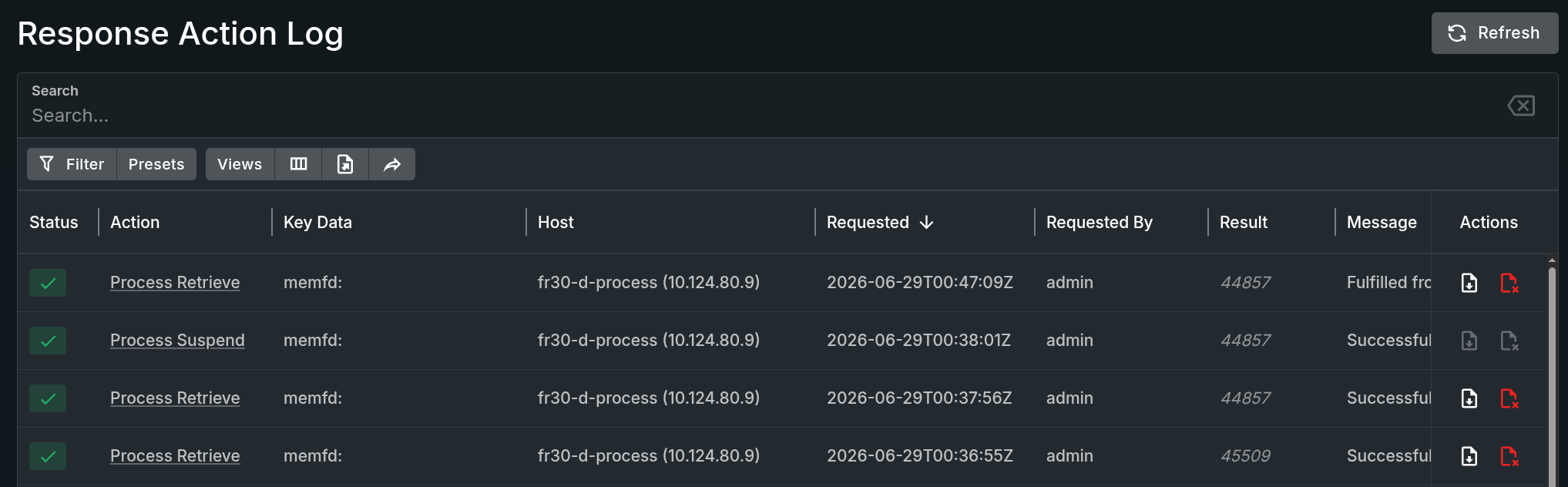
All response actions are recorded in the new Response Action Log. Response actions are logged with full details of the event and alert associated with the activity. Retrieved files are stored like events and are available for download by an authorized user without needing to query the host again.
Operators can go into any action to review the data or download the file if requested. Sandfly can retrieve a running process binary or file associated with an alert. For instance, Sandfly can grab the crontab or a suspicious file from an alert. Sandfly can also retrieve a running process binary where the binary has been deleted from the disk to evade detection and forensics.
Another feature we've been asked about is helping to cleanup the mess often associated with SSH keys. In particular, customers have been using our SSH Hunter to help identify SSH key usage across their systems. The SSH Hunter can help determine key usage on hosts and users and is valuable for helping set up secure perimeters to find new keys that have been added maliciously with SSH Security Zones.
However, customers also wanted a way to deal with the problem with direct action. We now can do that using two mechanisms:
Often enterprises will have old keys lying about that should be removed. These keys may belong to ex-employees or ancient login credentials that nobody remembers why they are there or if they are being used. These are both major security risks and are very common.
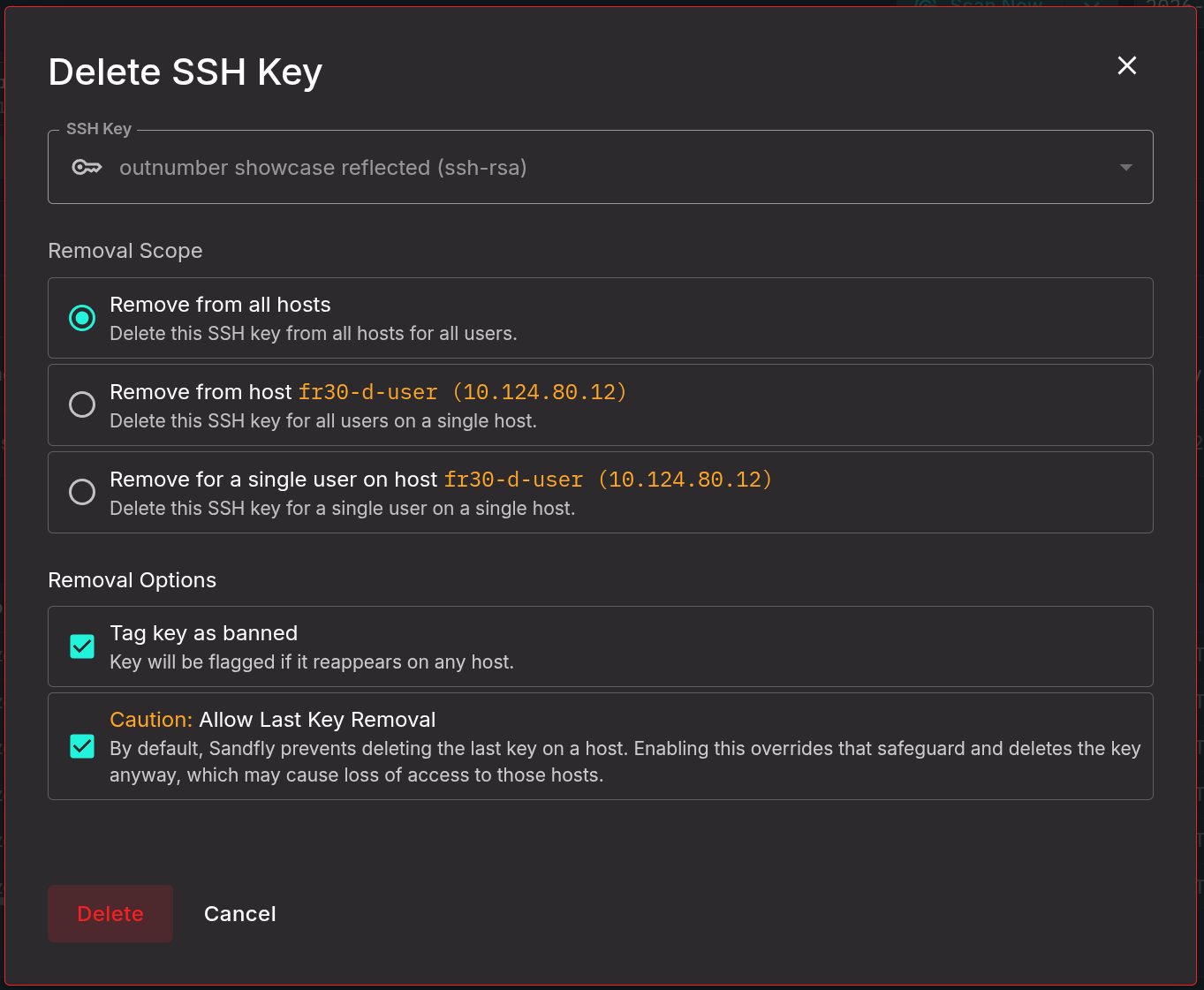
With Sandfly, customers can now remove those keys wherever they find them and mark them as banned. Customers will get an alert if the keys show up again (e.g., as restored from a backup).
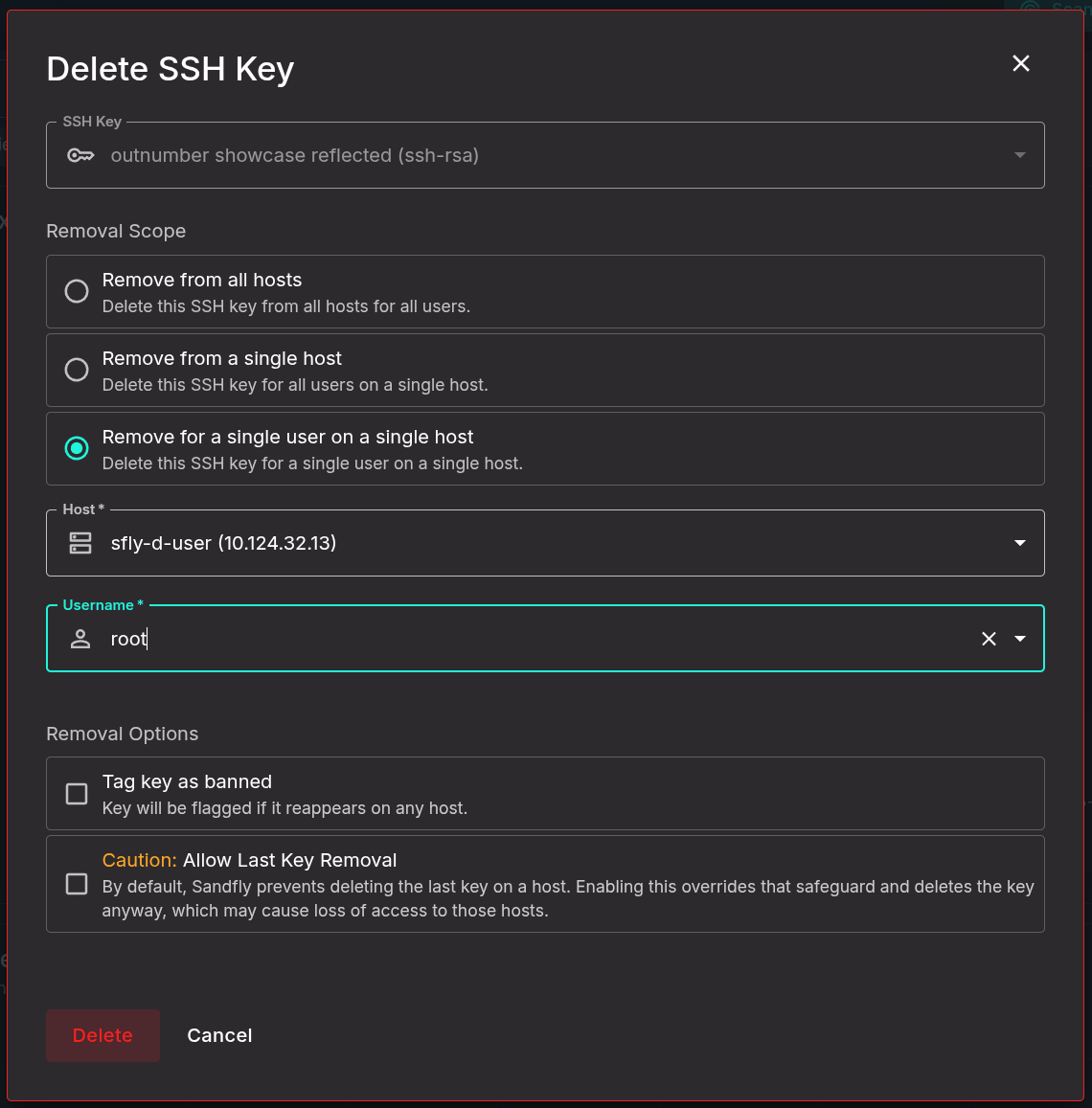
Another problem we see involves keys on a user account customers no longer want there. For instance, a customer has found that people are logging in using their own ID but also have their key on another user on the same host (e.g., root). Users can quickly remediate this situation by selecting the host and user and removing just that key.
Yet another very common problem we see and hear from customers is duplicate SSH keys which get flagged by Sandfly.
So, what is a duplicate SSH key?
A duplicate SSH key is one that shows up in an authorized_keys file more than once. For instance, a key at authorized_keys entry #2 and entry #4 for the account. This means that if someone were to remove entry #4 because they don't want it used for login, the old key at entry #2 (that they didn't see was there) will still allow access.
Duplicate keys are a common problem in enterprises and generally are caused in three ways:
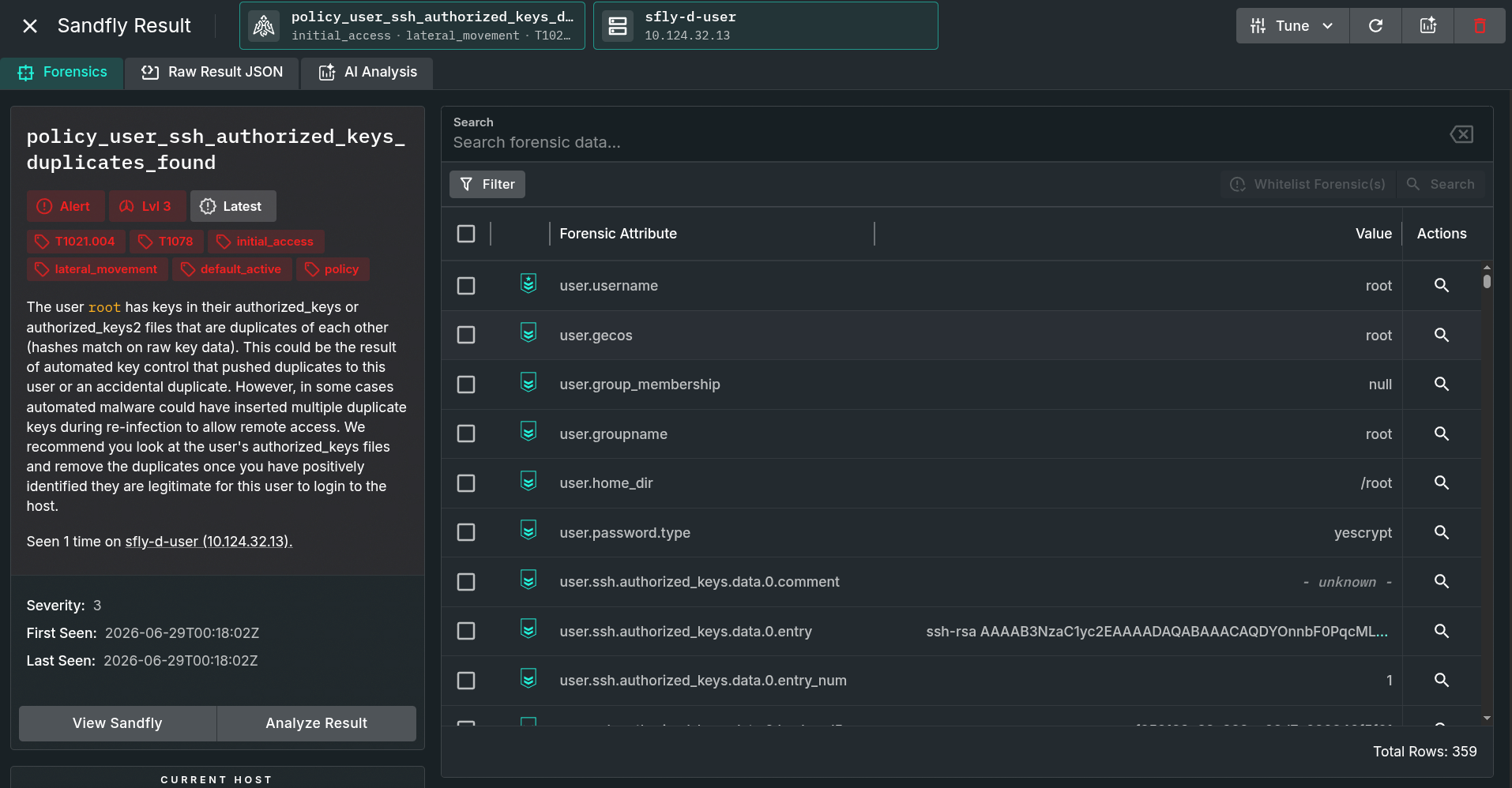
In all three cases, the duplicate key is hard to see as it is a big block of random data. Humans will easily miss the key. Finding duplicates needs to be done automatically. Sandfly will alert customers to this condition with a policy violation like below.
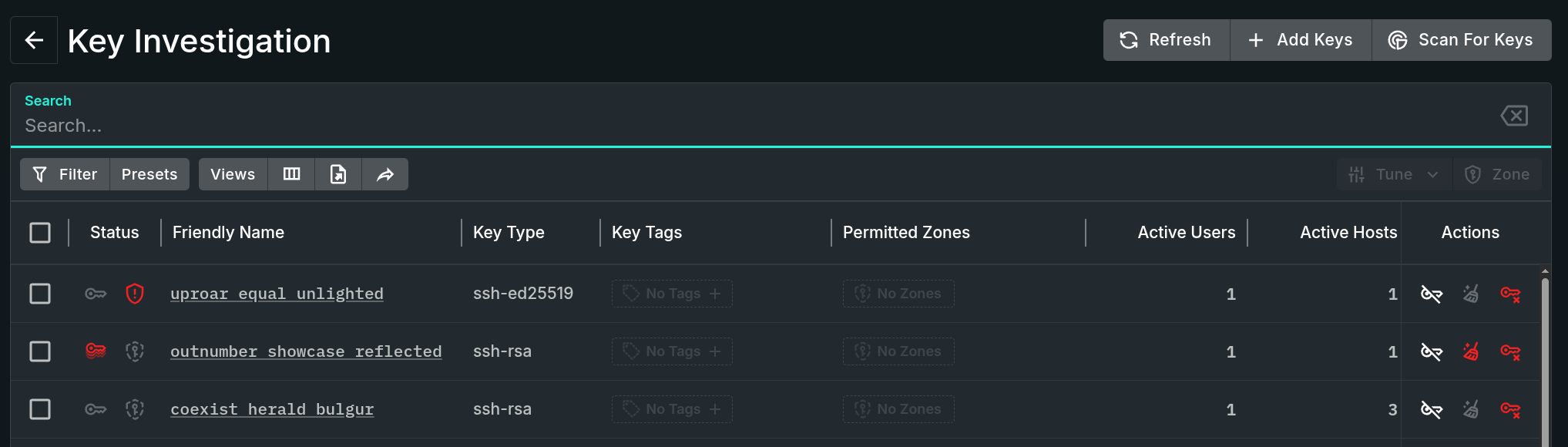
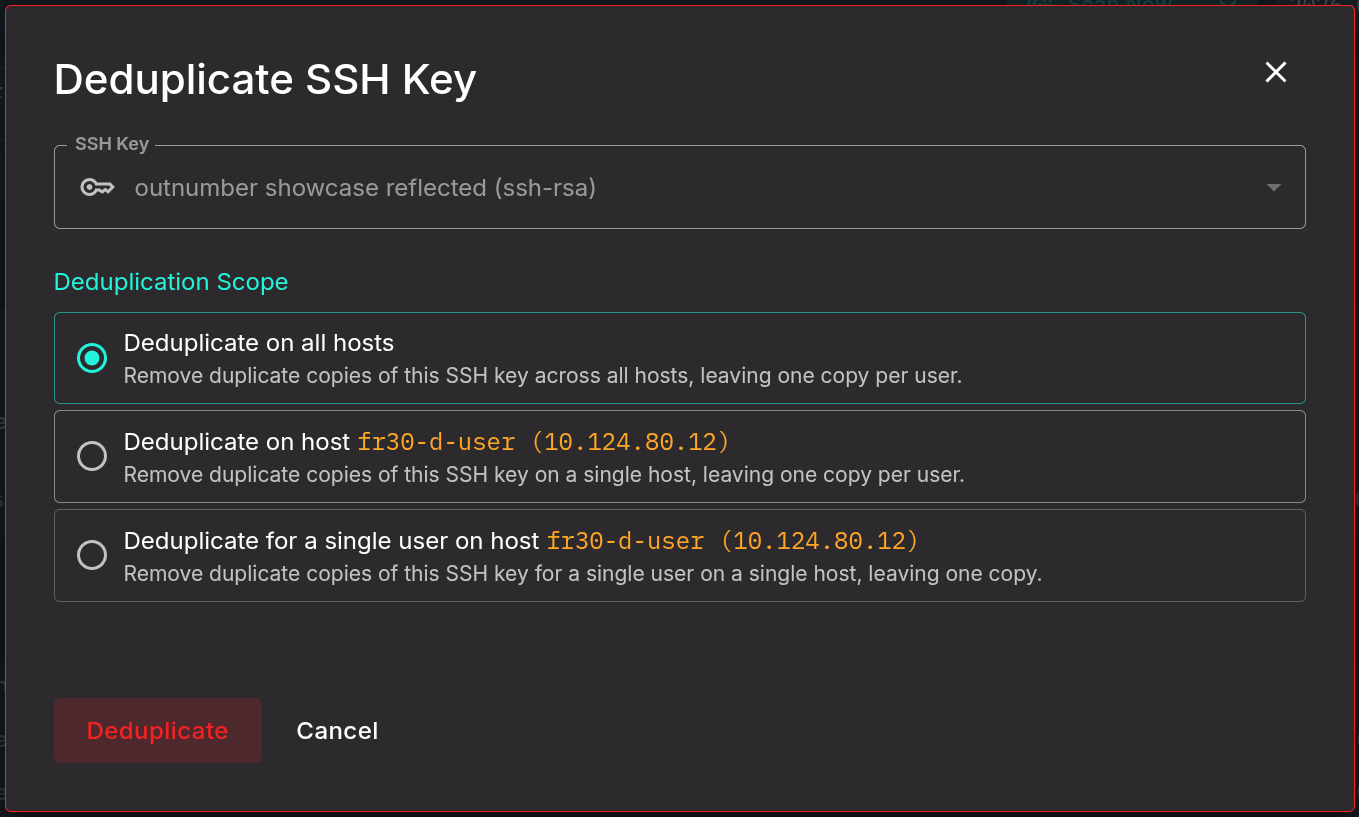
Sandfly can now be used to help cleanup duplicate keys. When customers have Sandfly deduplicate a key, we will remove all duplicates from anywhere we find it and leave the first key we found in authorized_keys where it belongs. Below, we see the double red key icon in SSH Hunter. This means we have found duplicate keys on one or more hosts.
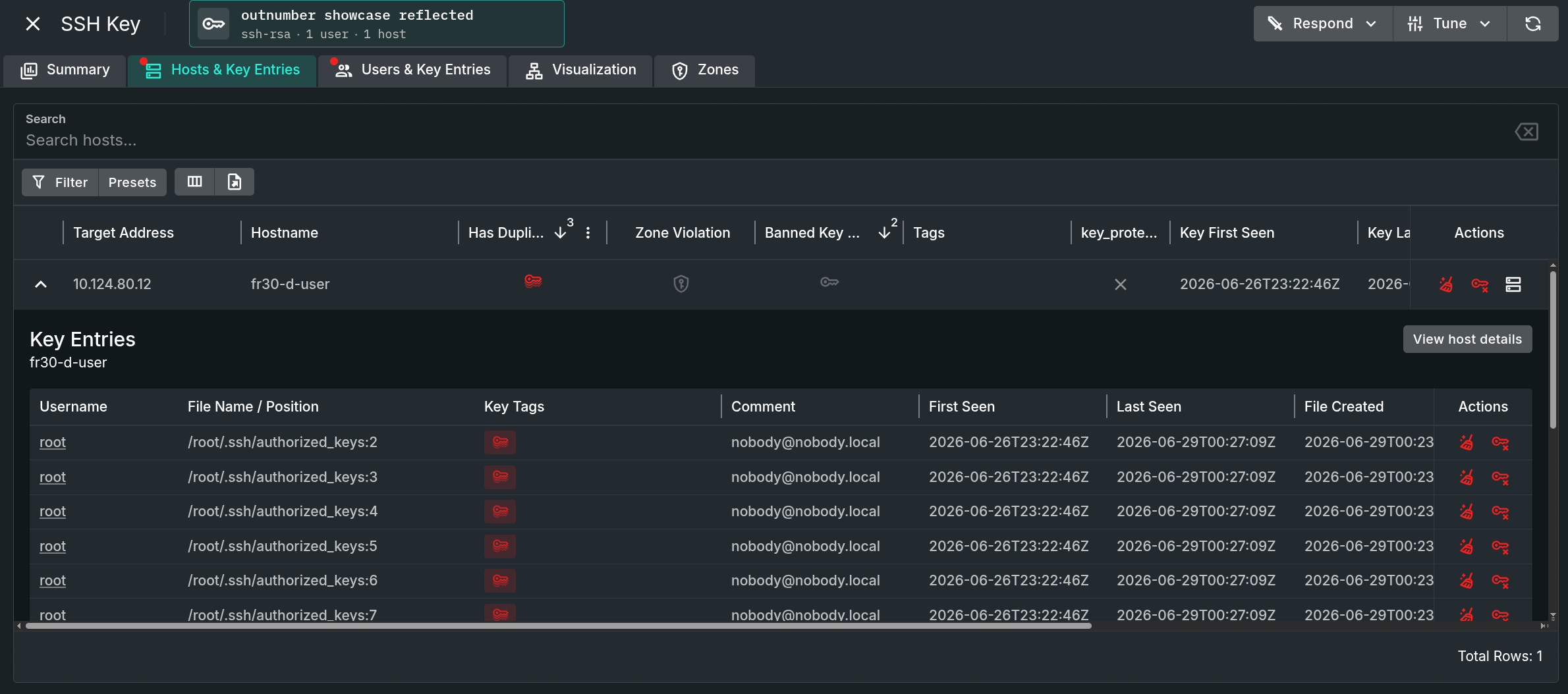
Clicking on this key, we can see the issue. Sandfly has found the duplicate and customers can even see the authorized_keys entries where the key resides. In the example here, we have more than 10 duplicate keys. This is likely a key manager or admin script that went off the rails.
Once we have identified duplicate keys, users can click on the broom icon and initiate a cleanup. Customers can do it on one host, one user on that host, or all hosts.
Users can also tag certain keys as protected, meaning no response options can be initiated against them. This helps protect critical keys against accidental response operations.
We understand customers in sensitive environments may not want any response options. We have therefore added two hard circuit breakers to disable the feature. Customers can disable response capability at the server or node level.
Server-level disabling means the server will simply not allow response actions from anyone. Doing it from the node level means responses are allowed on other queues for other nodes, but not that particular node or queue it serves.
For instance, customers may want to allow response for all nodes except those that service the production_server queues.
To learn more about the response roles and enabling/disabling the feature, please see our documentation:
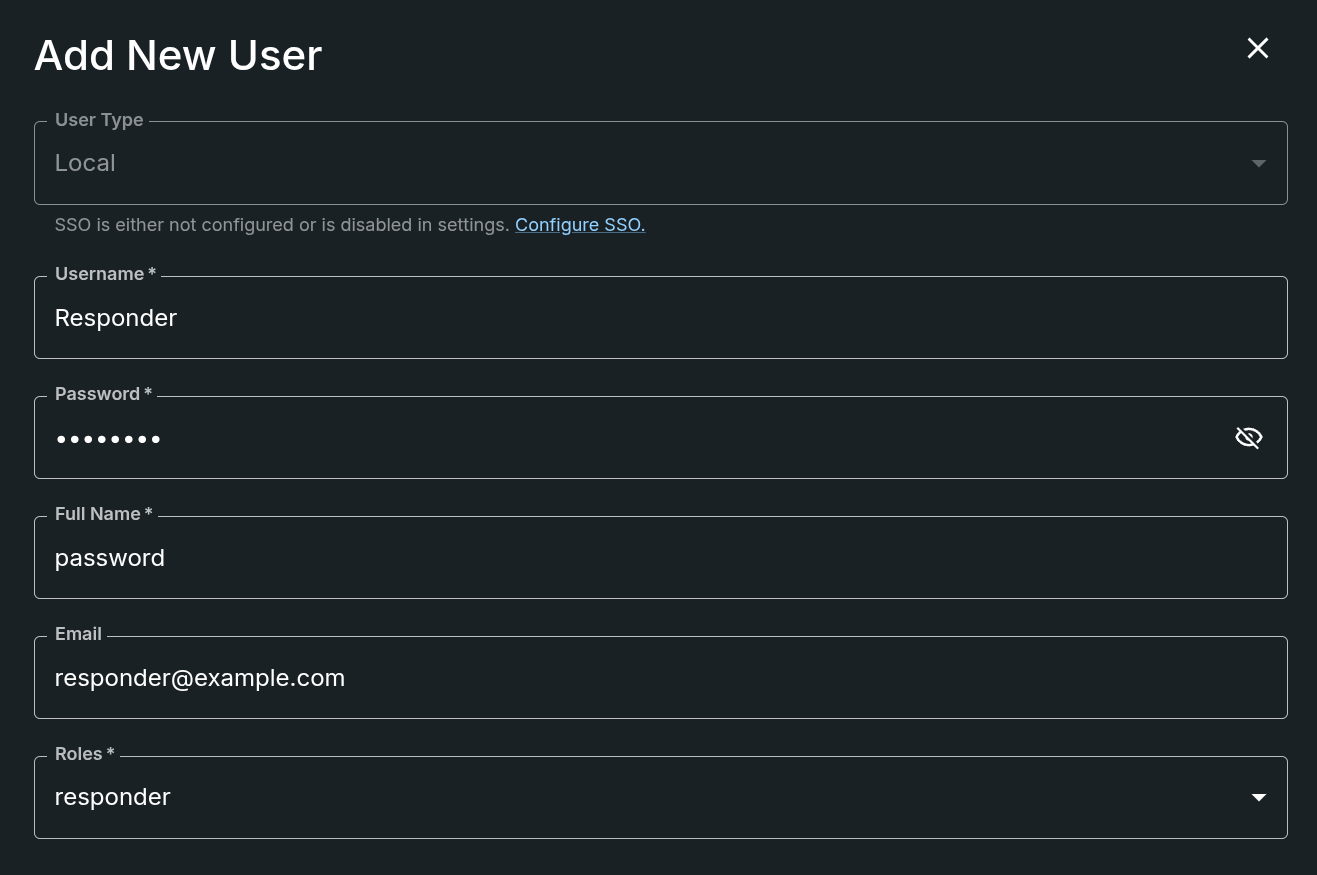
We have added a new "responder" role to allow only certain users to be able to initiate response actions. This new permission type is available under the User settings.
Of course we've added new Linux attack tactics detections as always such as:
We've also added in various fixes and enhancements throughout the UI.
Sandfly 5.8 with agentless response enables security teams to move faster and investigate systems without needing to touch them manually. It is a major capability upgrade and we recommend customers upgrade today and give it a try.
Please see our documentation on the new features and capabilities:
Customers wishing to upgrade can follow the instructions here:

1 min read
Publication Date: 16 July 2024 Sandfly 5.1 introduces SSH Security Zones to our powerful agentless security platform for Linux.

1 min read
Publication date: 28 July 2022
