1 min read
Sandfly 1.4.6 – Performance and Syslog Updates
Sandfly Blog Sandfly 1.4.6 – Performance and Syslog Updates 17 October 2018 Product Update
3 min read
Publication Date: 21 January 2026
Sandfly 5.6 has been released with major updates to our powerful agentless drift detection for Linux. This is a significant upgrade in ease of use and detection for novel threats and attacks against Linux. The update also includes major UI improvements making it faster and more user friendly.
Sandfly introduced our novel and powerful agentless drift detection feature last year. This allows security teams to find any kind of process or system drift against any host we monitor. New processes, users, systemd services, kernel modules, and more can be instantly spotted, protecting hosts from advanced attacks, or even accidental changes.
We have dramatically improved the usability and power of this feature with our new automatic drift detection capability. This is highlighted in our new video demonstrating the feature.
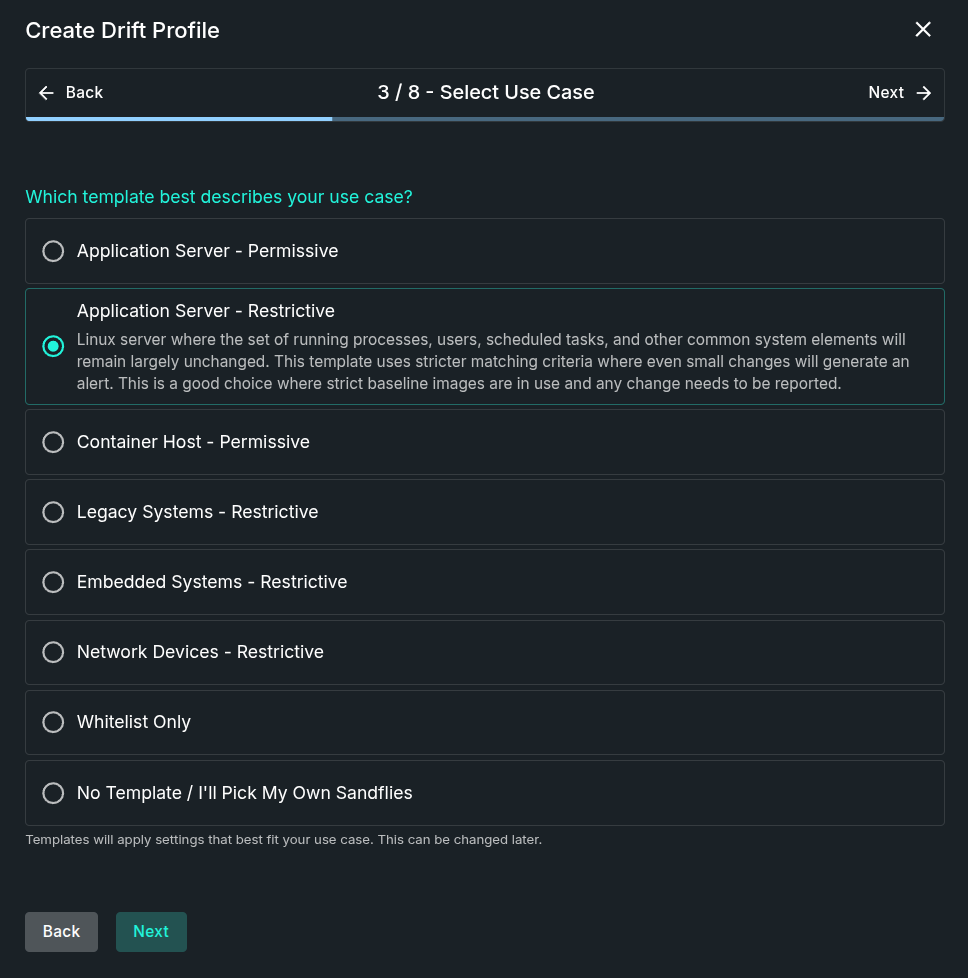
With automatic drift detection, security teams can establish drift profiles in three easy steps:
1) Select the model host that you wish to use to build a drift profile.
The model hosts can be a gold image isolated system, a fresh system build, deployed systems, or embedded devices you wish to monitor for any changes.
2) Setup auto-drift to monitor the system for a period of time to gather data.
During this time Sandfly will collect usage information from the system and automatically build a profile of processes, users, files and other activity to be monitored for change on the host. We will also automatically whitelist alerts during this process so tuning is completed for you.
3) When the initial profile gathering is completed, the drift profile is automatically applied to tagged hosts and scheduled threat detection begins.
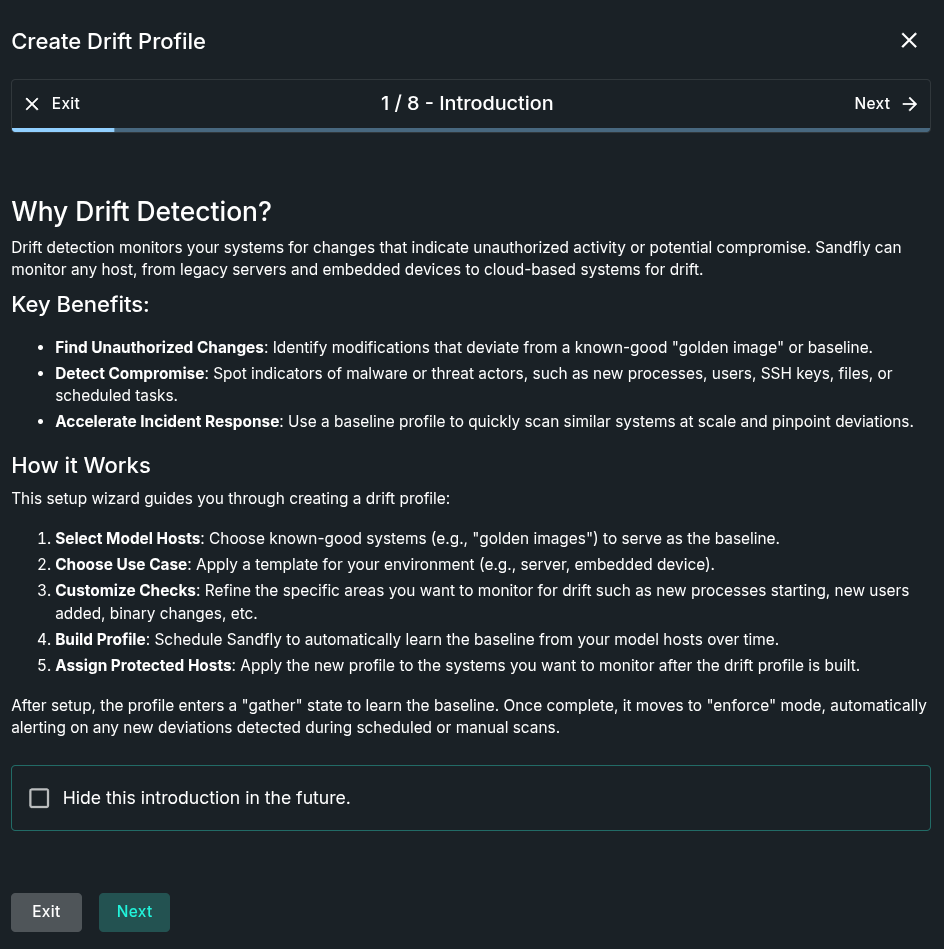
Drift detection includes a built-in list of pre-defined profiles we recommend to use based on the types of systems customers are looking to protect. For instance, customers can select embedded devices for our recommendations for those platforms. Customers can also select detection modules to customize exactly what they want to monitor on their hosts.
In addition to change detection with auto-drift, Sandfly will also automatically whitelist any alerts on model hosts to alleviate manual tuning of alerts. Once the gather period completes, alerts are automatically dealt with without any user intervention when new hosts are added to the drift profile.
Auto-drift also has the ability to ignore containerized processes on a host. This is a perfect solution for monitoring systems that are managing a wide range of constantly changing container workloads. Teams that want to make sure the host OS is not altered due to a container escape attack now have a powerful feature to do that.
A frequently requested feature is the ability to edit drift profiles. We now allow users to edit the profiles and remove unwanted sandfly modules and tune what was whitelisted.
We have added to our already large Linux attack detection with more threat coverage and improvements such as the ones below.
We have expanded the ability to detect new ways of Loadable Kernel Module (LKM) hiding for Linux stealth rootkits. We also enhanced our ability to decloak processes being hidden by LKM rootkits.
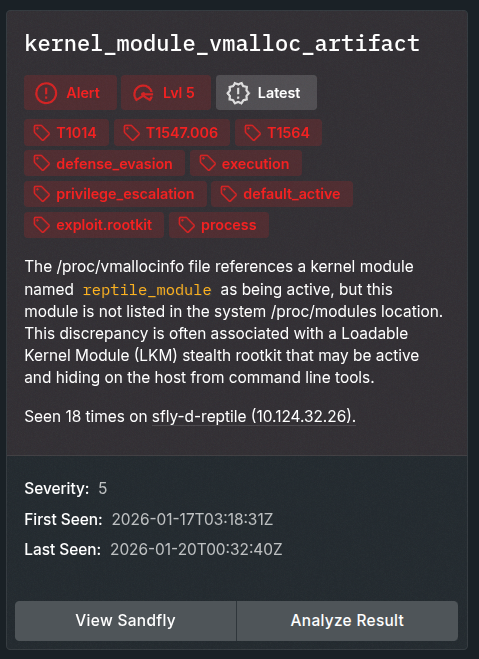
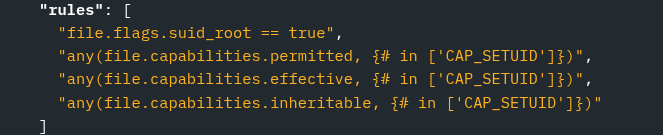
Sandfly now decodes process and file capabilities. These attributes can be built into rules to help teams find suspicious file or process activity involving rogue capabilities such as CAP_SETUID to bypass traditional setuid (SUID) file system flags. We have upgraded our SUID file checks to look for file capabilities which can hide privileged binaries from discovery.
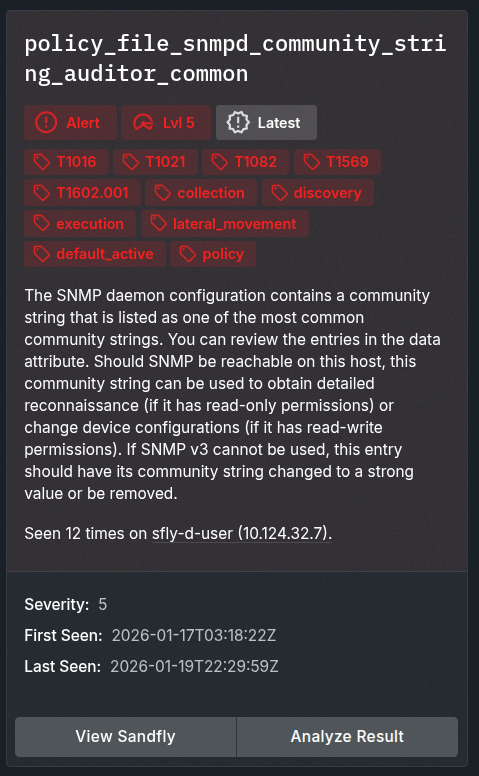
Abuse of common SNMP community strings is still common, especially on network devices. Sandfly will now look for common SNMP community names and warn you about them. We will also warn you about insecure SNMP versions in use.
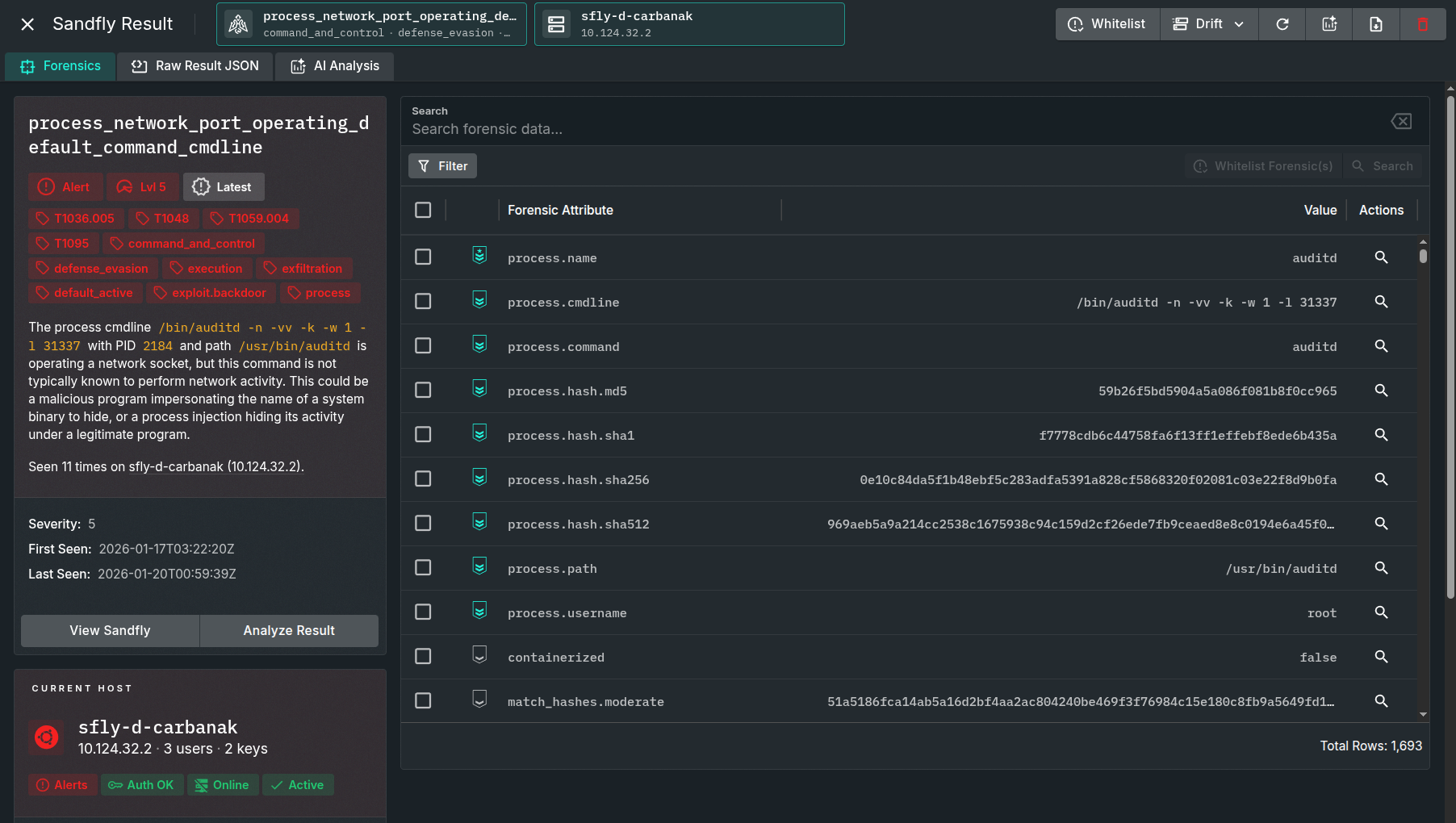
We have continued to add many more Linux threats Sandfly can detect to provide customers with the most thorough coverage for Linux. Other threat modules that are new or updated include:
We have extended coverage to devices using the Dropbear SSH service and more ARM processors. This mainly applies to embedded devices and allows us to cover a wider range of IoT systems than before. These updates extend Sandfly's agentless monitoring which continues to offer the absolute widest and safest coverage of Linux in the industry.
We have made significant overhauls to the UI to make it more usable and faster. Many new updates have been made for usability, clearer display of forensic data, improved workflow, and much more. The UI enhancements include a variety of tweaks to make information more visible and a faster response.
Sandfly 5.6 offers powerful auto-drift detection to provide robust monitoring of critical systems for any unauthorized changes. Our agentless deployment and safe coverage for Linux means customers get fast and reliable security monitoring of their critical infrastructure without the hassles of deploying endpoint agents.
Please see our documentation on the new features and capabilities:
Customers wishing to upgrade can follow the instructions here:
✨ Arrange a demo, get answers and a free trial license. Contact Us
1 min read
Sandfly Blog Sandfly 1.4.6 – Performance and Syslog Updates 17 October 2018 Product Update

1 min read
Sandfly Blog Sandfly 5.0.6 Maintenance Release 09 June 2024 Product Update